Start promoting.
Start earning.
You've been invited to promote an event on SocialLoop. Here's everything you need to know to get set up, share your codes, and track your earnings.
Check Your Email
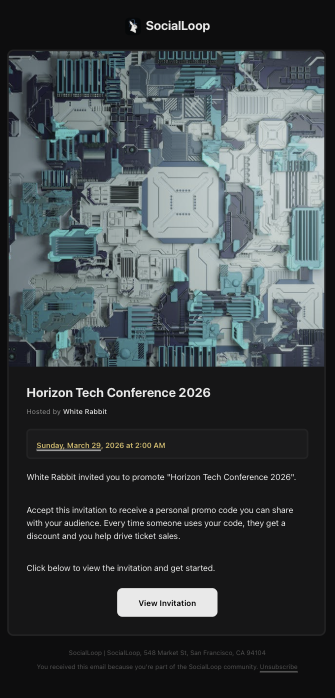
You'll receive an invitation from the event host. It'll show you the event details and what you'll be promoting. Tap "View Invitation" to get started.
Review Your Deal
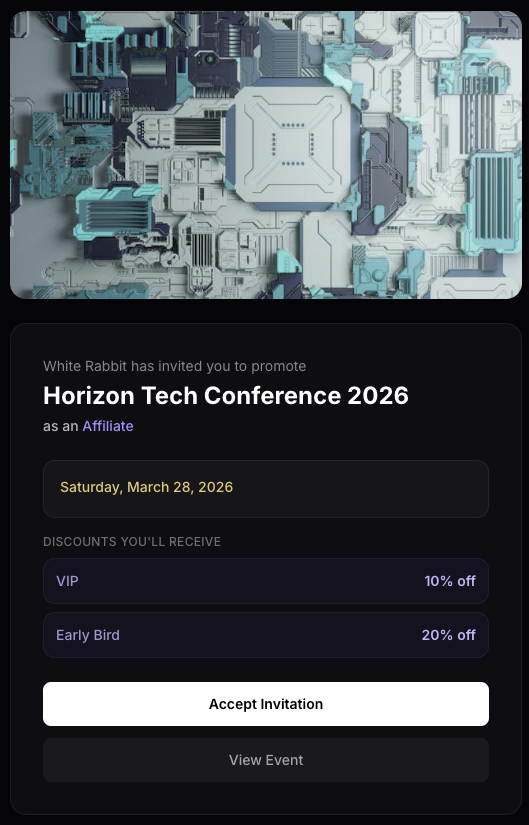
You'll see exactly what discounts you'll be offering your audience — broken down by ticket tier. This is your personal offer. When people use your code, they save money and you earn commission.
Accept & Get Your Codes
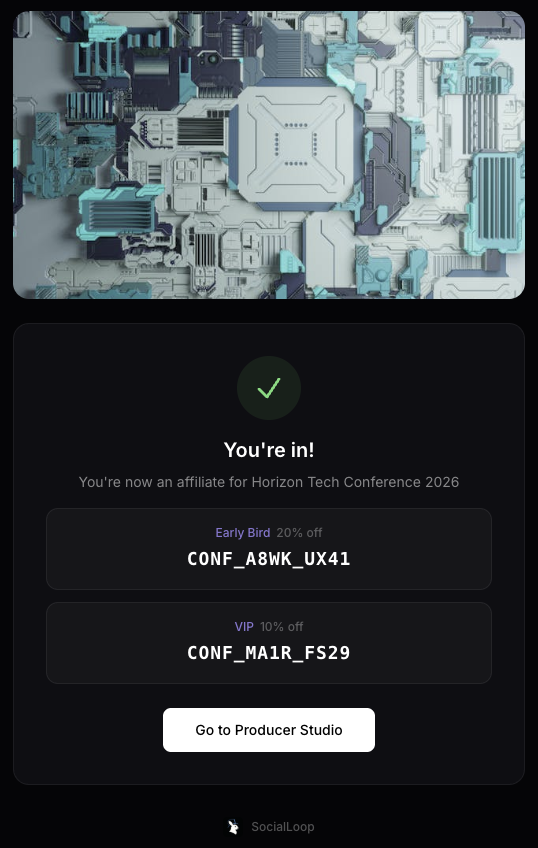
Tap "Accept Invitation" and you'll instantly receive your unique promo codes — one for each ticket tier. These are yours. Every ticket sold with your code is tracked to you.
Find Your Event
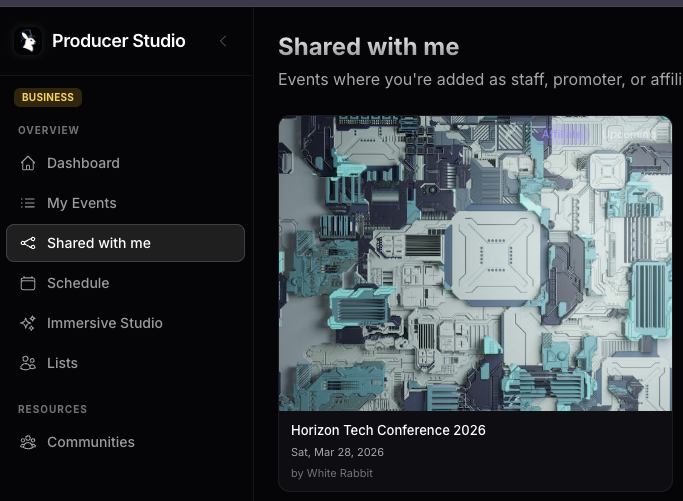
Click "Go to Producer Studio" and you'll land on the Partnerships page. This is your home base — every event you're promoting lives here. Click the event to open your promotion tools.
Track Your Earnings
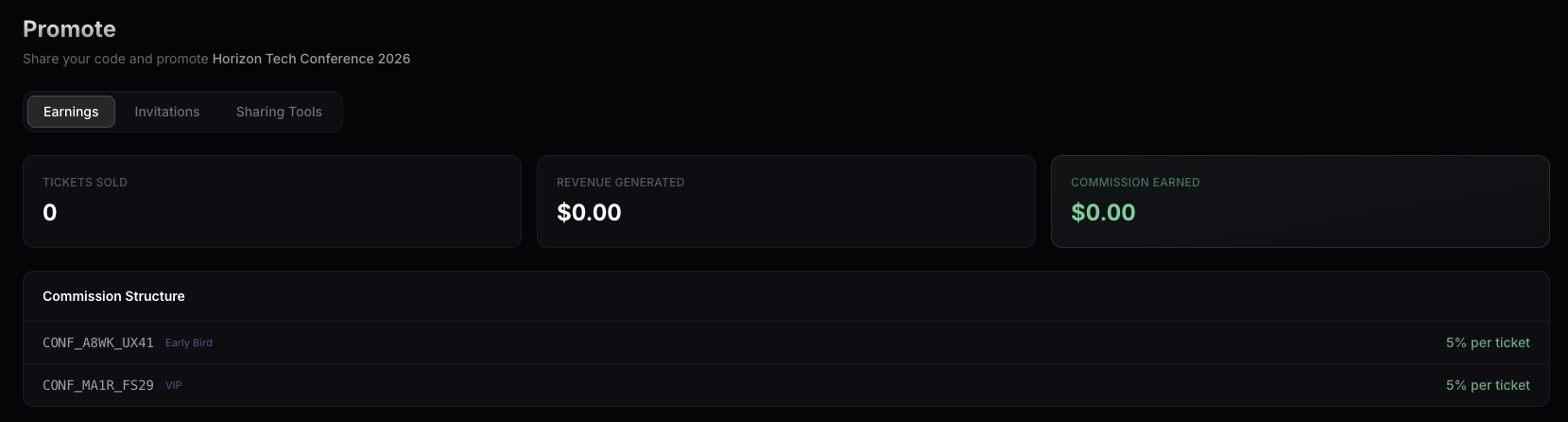
The Earnings tab shows your real-time performance: tickets sold, revenue generated, and commission earned. You'll also see your commission structure — exactly how much you earn per ticket sold with each code.
Start Inviting People
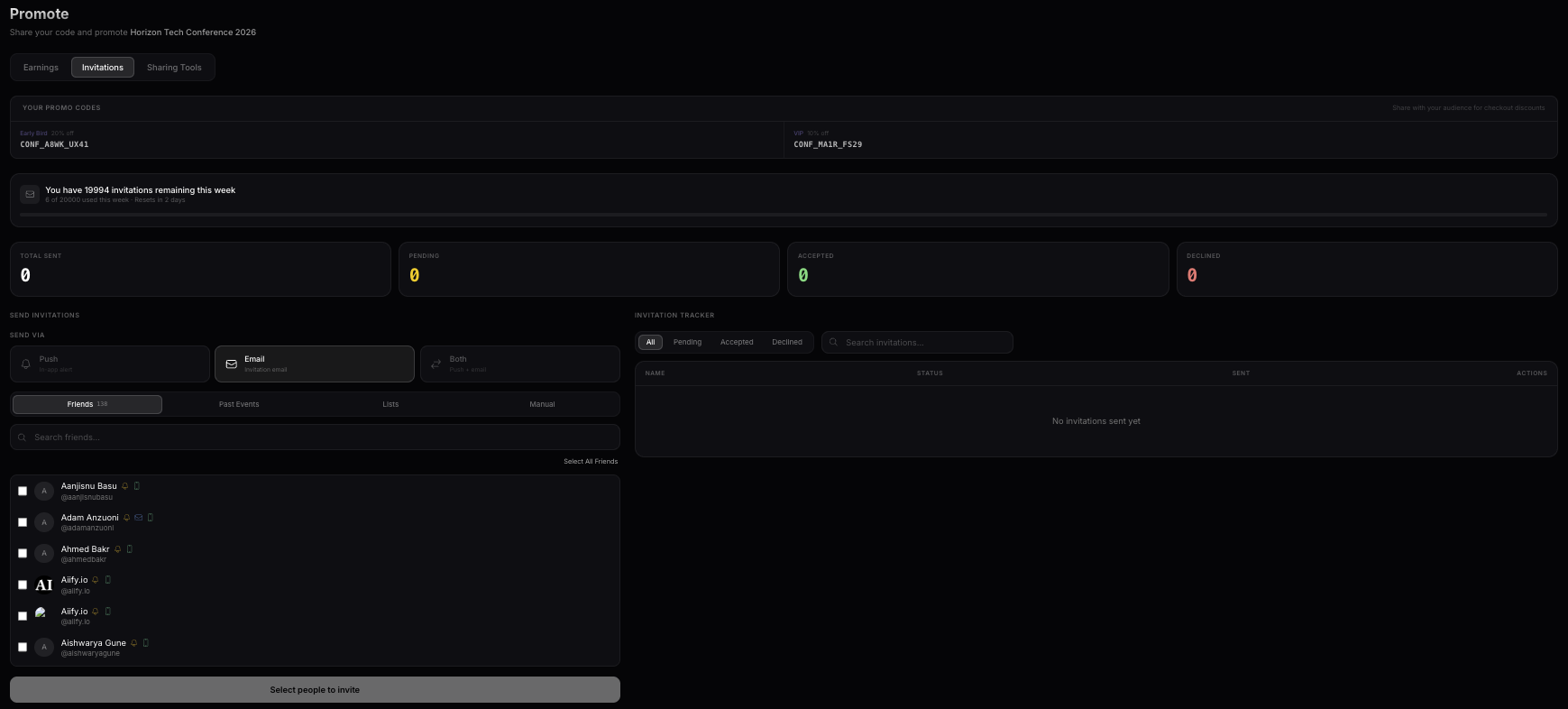
Switch to the Invitations tab. Your promo codes are displayed at the top — share them with everyone. Choose how to send invitations: Push, Email, or Both. You can invite friends directly from your contacts, search past events, or use distribution lists.
Use Lists for Bigger Reach
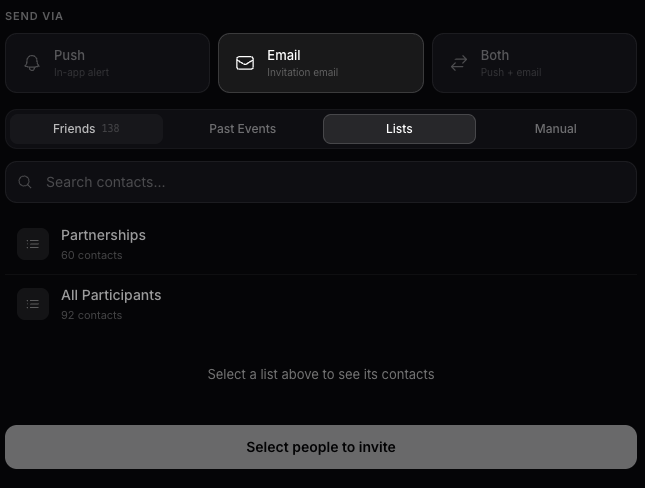
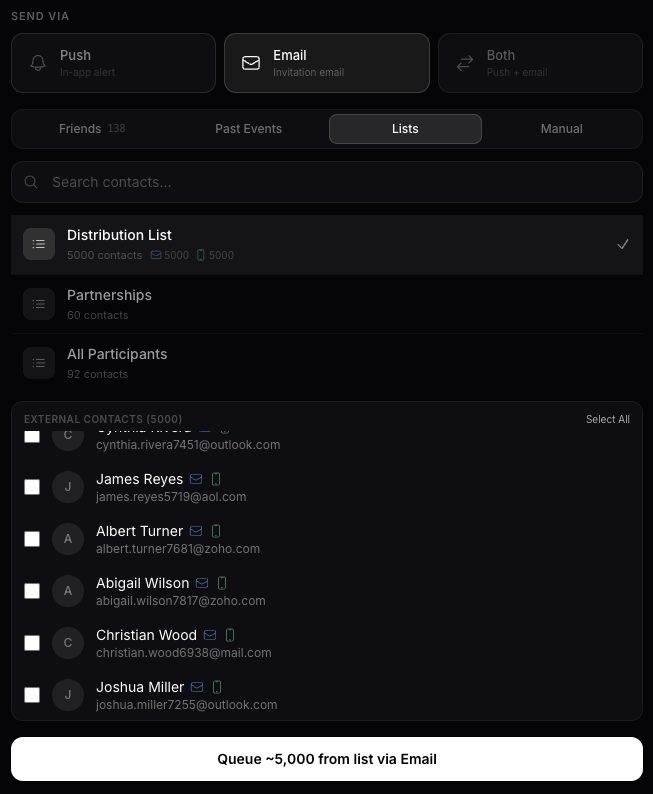
Click the "Lists" tab to select a distribution list you've already created. Pick a list, select the contacts, and send your invitations to your entire audience at once.
Import your contacts for maximum reach
Don't have a list yet? No problem. Create one, import your contacts from any platform, and you're ready to blast invitations to your entire network.
Go to Lists
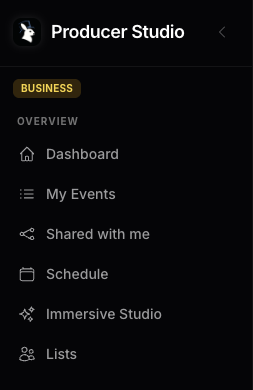
In the Producer Studio sidebar, click "Lists" under Overview.
Create a New List
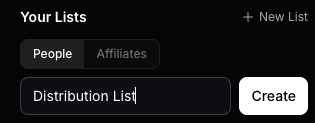
Click "+ New List", give it a name (e.g. "My Network", "VIP Contacts"), and hit Create.
See Your Lists
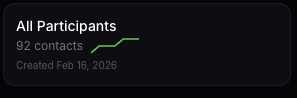
Your lists appear here with contact counts and growth trends. Click on any list to open it.
Add Contacts
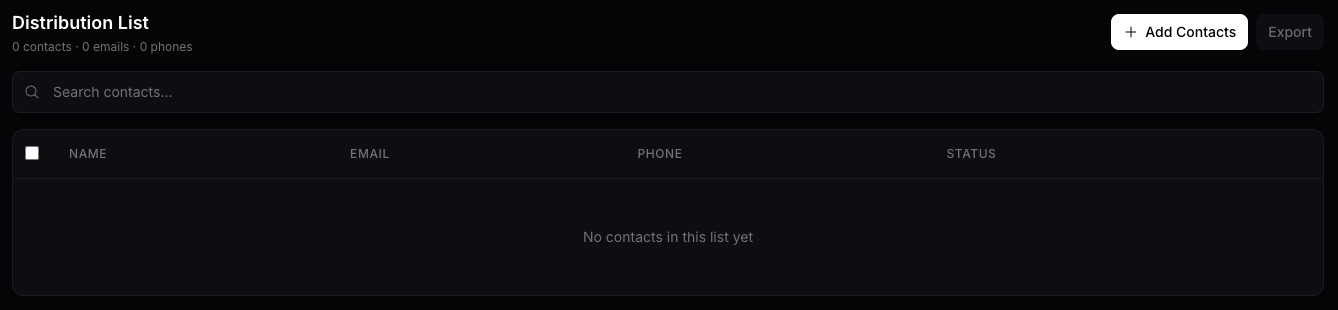
Open your list and click "+ Add Contacts" in the top right. You can import from a CSV file — exports from any platform work (Luma, Eventbrite, Google Sheets, Excel).
Import Your CSV
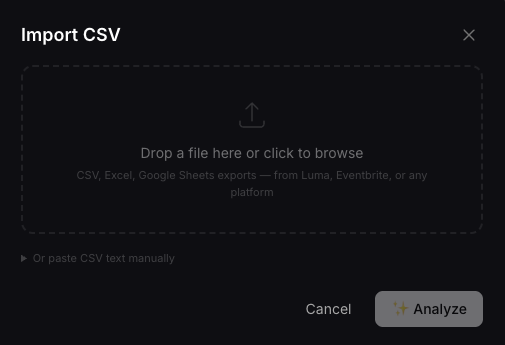
Drag and drop your file or click to browse. SocialLoop accepts CSV, Excel, and Google Sheets exports from any platform.
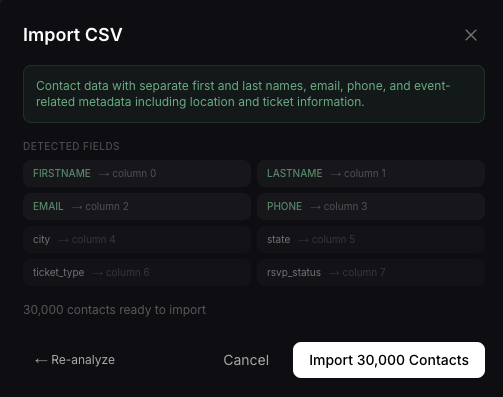
Confirm Your Import
SocialLoop automatically detects your columns — first name, last name, email, phone, and any extra fields. Review the mapping and click Import. Your entire contact list, ready to go.
Blast Your List
Go back to Partnerships, click your event, open Invitations, switch to Lists, select your distribution list, and hit send. Your invitations go out with your personal promo codes — every signup tracked to you.
Your personal promotion toolkit
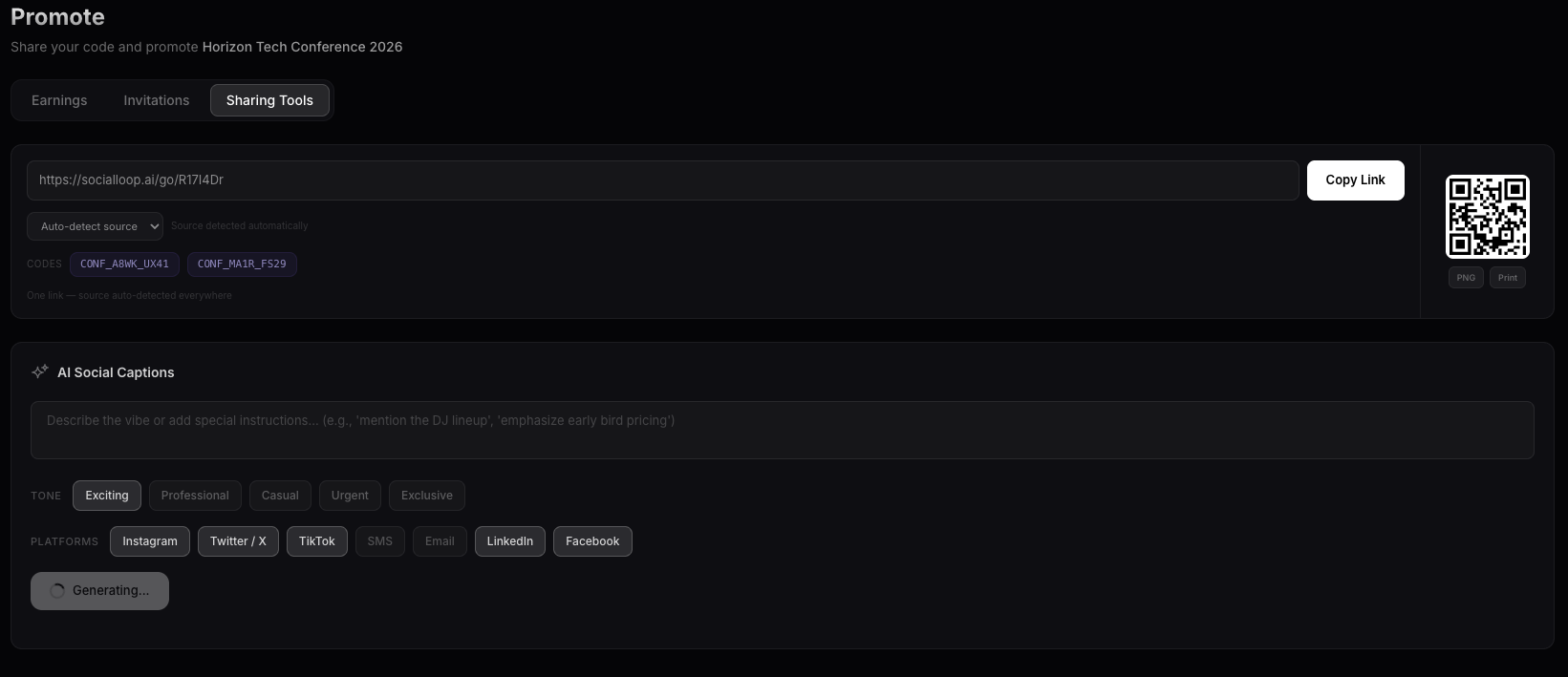
You get your own smart link, QR code, and an AI assistant that writes social media posts for you. It knows your event, your codes, and your audience. Just tell it what vibe you want.
Your Link, QR Code & Codes
Switch to the Sharing Tools tab. You'll see your personal smart link — this link is connected to your account, so every click and every ticket sold through it is tracked to you. Drop it in group chats, DMs, WhatsApp groups, Discord servers, anywhere. It auto-detects where people clicked from. Your QR code is ready to download for stories, flyers, or print. Your promo codes are right there for easy copying.
AI Writes Your Social Posts
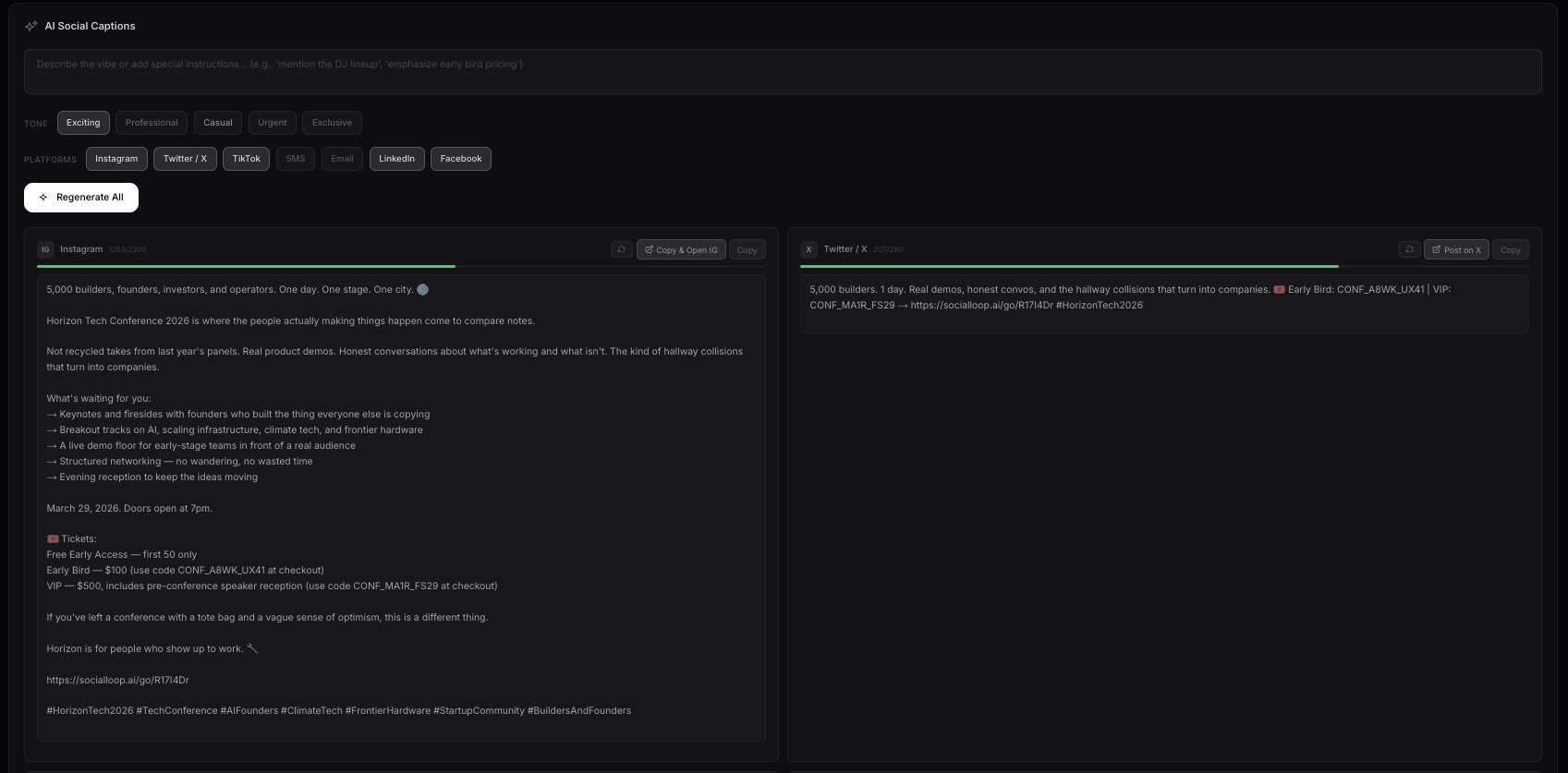
Scroll down to AI Social Captions. Pick a tone — Exciting, Professional, Casual, Urgent, or Exclusive. Select which platforms you want posts for. Hit Generate and the AI creates ready-to-post captions that know your event, your promo codes, and the right format for each platform. Want to adjust something? Just describe what you want in the text box and regenerate — the AI adapts to your instructions.
Copy, Click, Post
Each generated post has action buttons built right in. Copy & Open IG for Instagram, Post on X for Twitter — one click copies your caption and opens the app. Your promo codes are already baked into every post. No manual work. Just share.

Tips for Success
Share in group chats and stories
Your link auto-tracks where clicks come from
Use the Sharing Tools tab
AI generates platform-optimized captions with your code built in
Check Earnings regularly
See which codes and channels perform best
Import contacts from other platforms
Luma, Eventbrite, Google Sheets — any CSV works
 SocialLoop
Creative tools for experience designers